Shabbat = WINE {& A GIVEAWAY!}

Jewish Wine Charms

What’s Shabbat without a little wine (or at least a little Martinelli’s)?  I mean you can’t celebrate Shabbat without saying kiddush.  The problem is it can be hard to remember who’s glass is who’s (especially after you’ve had a  glass or two).  Hence, the usefulness of the wine charm – a cute and easy way to identify your glass.  Today’s project is a set of wine charms just for Shabbat – a  bridal shower gift for a friend.
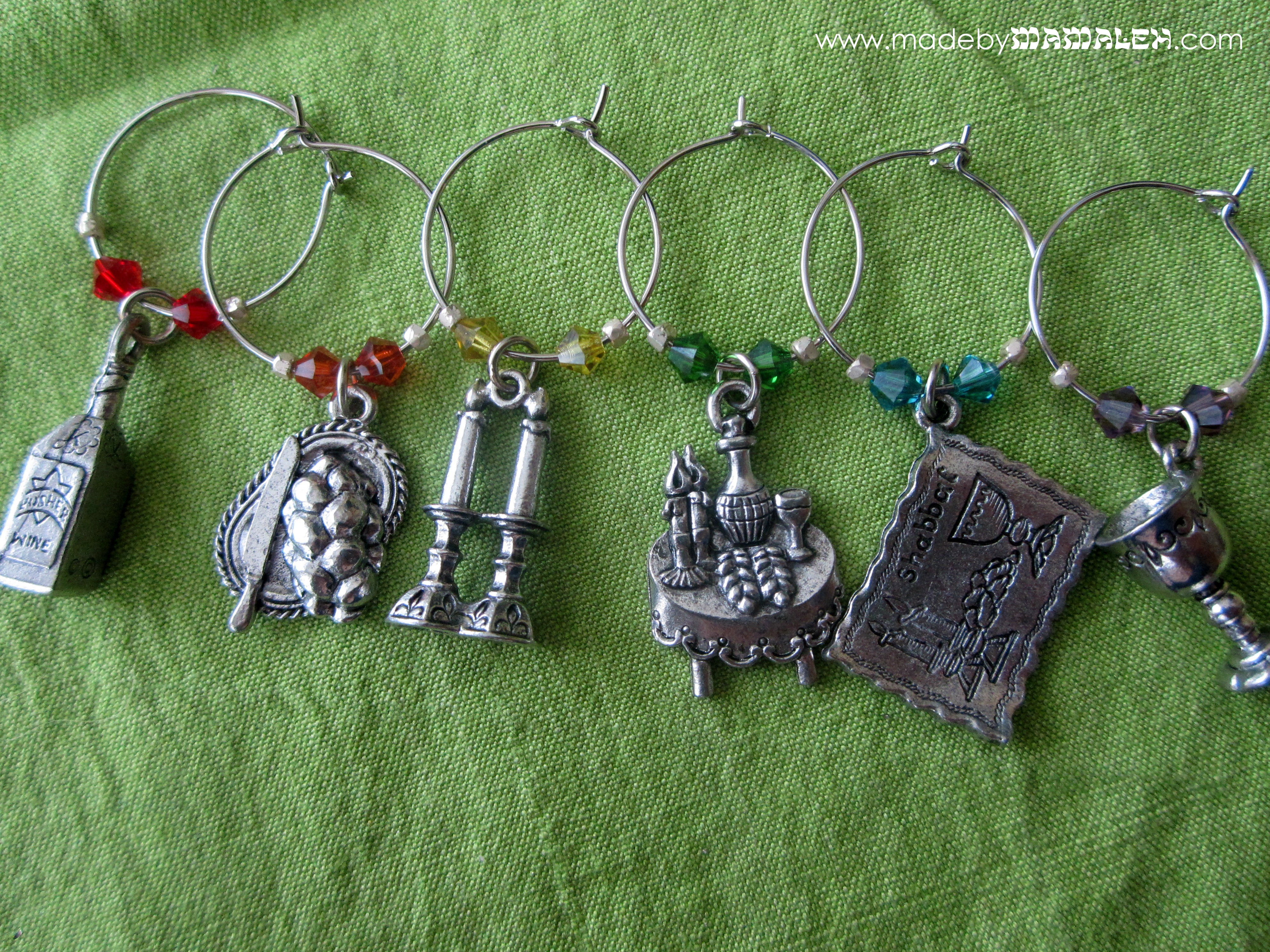
Jewish Wine Charms with Swarovski Crystals

This type of wine charm is simple to make even if you don’t have much experience working with pliers and beads.  Here are the supplies I used to make these:

Supplies needed for Jewish wine charms

  • Jewish charms – probably the trickiest thing to find but 1-800-DREIDEL has an amazing selection of charms along with all sorts of Jewish craft stuff and I just have to say, they also have some of the best customer service I’ve seen lately (my order came 2 days later and they adjusted the cost of shipping because the package was so small!).  Since this is a Shabbat set, I chose a challah cover, challah, candlesticks, Shabbat table, kiddush cup and a bottle of kosher wine.  I have Passover set  I made for myself a while ago that I’ll have to share one of these days.
  • Beads – 2 Swarovski 4mm bicones in a rainbow of colors and 2 silver seed beads per charm but you can use whatever strikes your fancy. 
  • Jump Rings – 1 for each charm
  • 3/4″ Manipulating Hoops – many styles, colors and materials are available. Remember you don’t need fancy silver since these are just going on your glasses not in your ears
  • Pliers

Jewish wine charm tutorial

First thing you’ll want to do is attach a jump ring to each of your charms.  If you’ve never worked with jump rings before, here’s a good jump ring tutorial.  After you have the charms on the jump rings, you’ll then string your beads on the hoop in whatever pattern you like.  Once that’s done, you’ll want to bend the hoop.  Take the pointy end and grip it with your pliers and bend it 90 degrees so that it makes a little hook to go into the eye on the other end and secure your charm closed.  

Just repeat these steps for however many charms you want and you are done!  I started with a set of six Shabbat charms but decided to add 2 with the saying “Ani L’Dodi V’Dodi Li” – “I am My Beloved’s and My Beloved is Mine”  with the couple’s initials for a sweet wedding memento. 
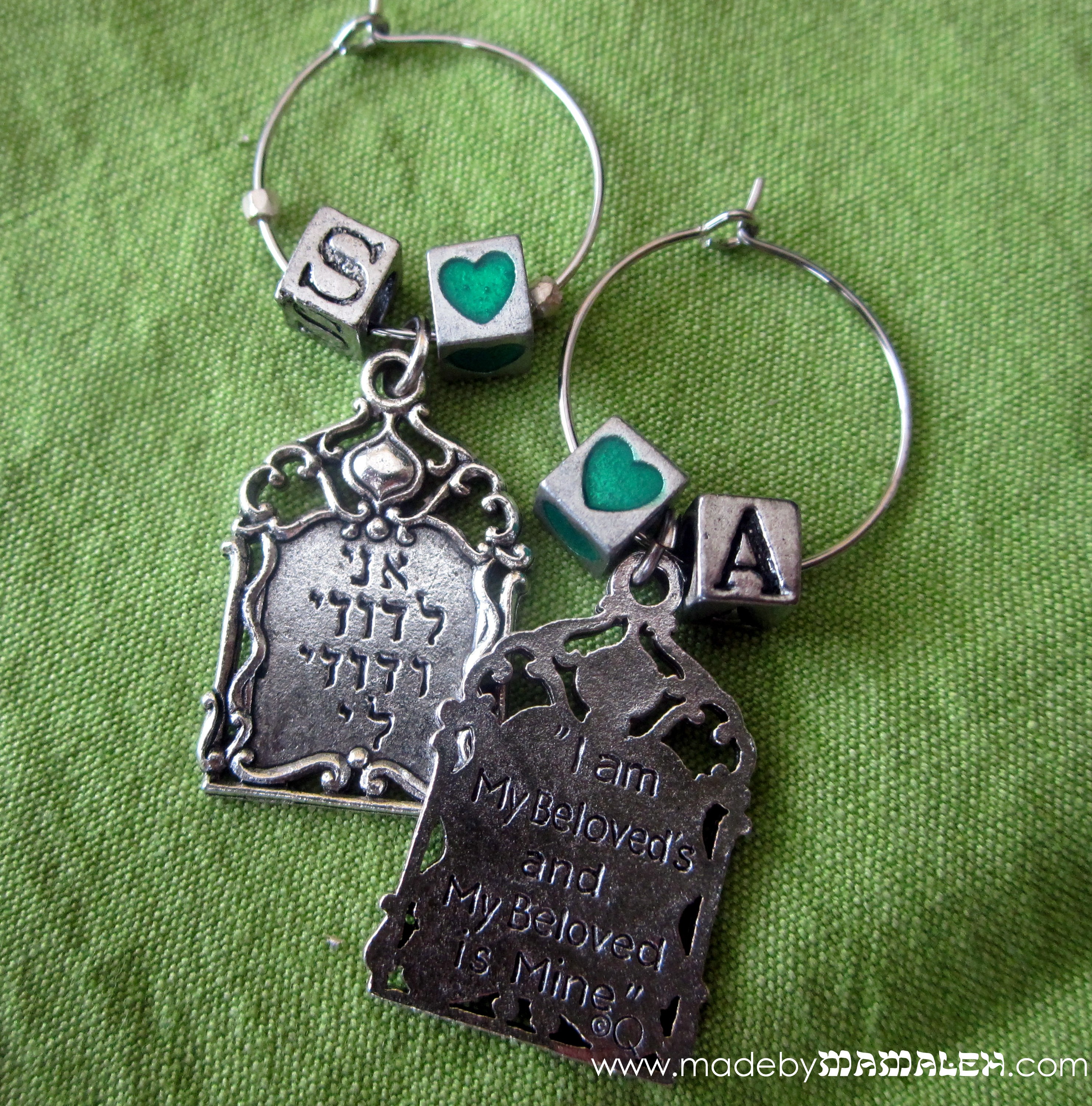
Ani L'Dodi V'Dodi Li Wine Charms

Since this set is a gift, I wanted to make sure they were nicely packaged so I took a greeting card box (you could use a leftover one or they also sell these at packaging/paper stores) and then made a customized insert with holes for the charms.  I got fancy and did a print and cut using my Cameo and Silhouette Studio but you could do this simply using a hole punch and a nice piece of cardstock.
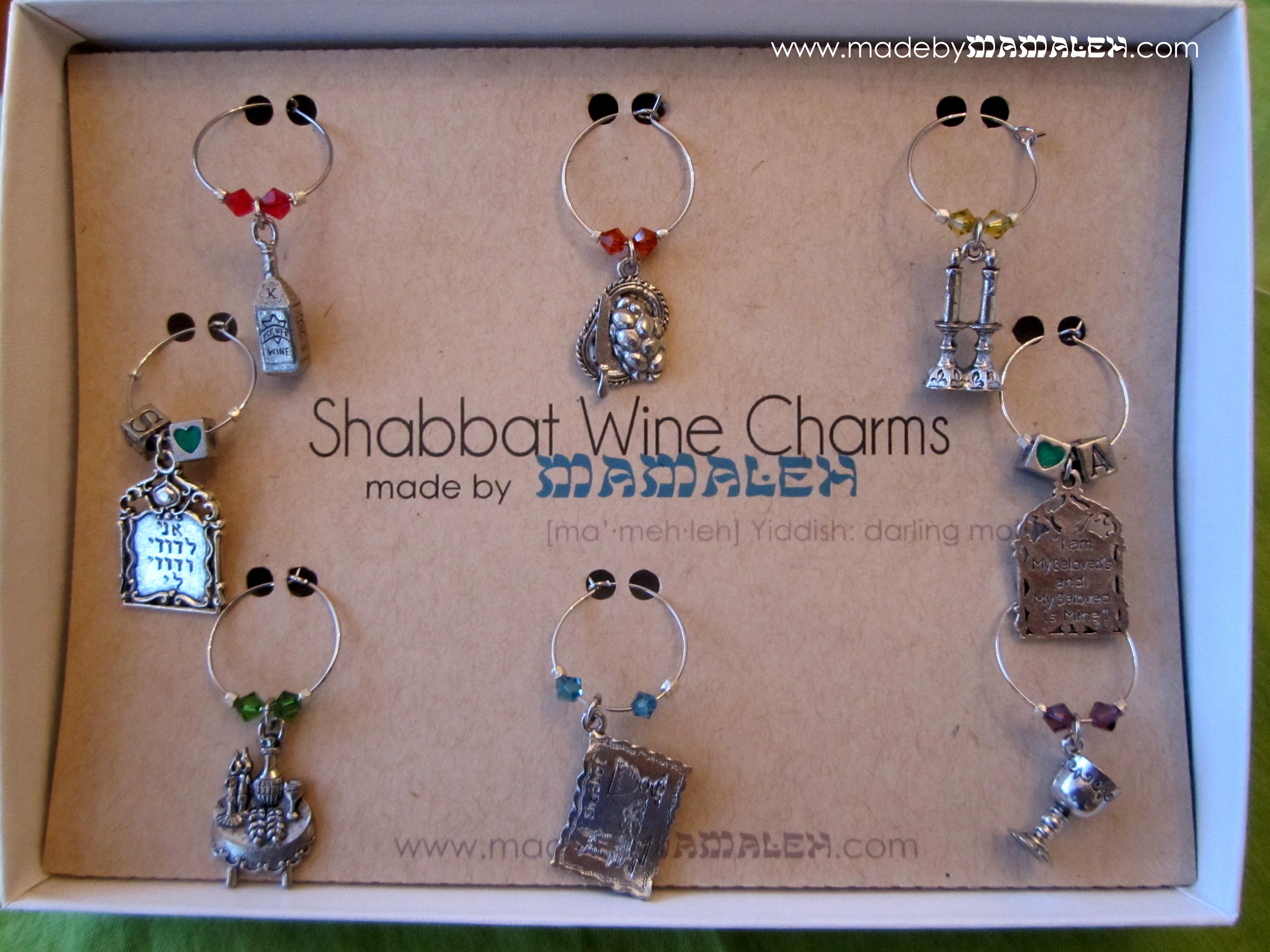
Jewish WIne Charms

But, I couldn’t stop there…I decided I needed to make a uniquely Jewish gift bag so using my new hamsa stamp (another 1-800-DREIDEL find) and one of my “Mazel Tov” stamps, I embossed a little gift bag.

Jewish wedding gift bag

Want to win our very own set of Shabbat wine charms and save yourself from having to get out the pliers?  Leave a comment on the blog and then click the link below to be entered to win on Rafflecopter

 CLICK HERE to enter Shabbat Wine Charm Giveaway!

Extra entries for liking Made by Mamaleh on Facebook, liking this blog post on FB, following madebymamaleh on Twitter and sharing this giveaway on your FB page and tagging madebymamaleh in your post!  The contest ends at midnight on Saturday, July 21st!

Jewish Wine Charms

L’chaim!

Not Your Bubbe’s Hebrew {Font}!

Oh, I am so excited about this project I can hardly type!  So, as you may have all figured out by now, I am totally in love with my Silhouette Cameo.  It cuts paper and vinyl and fabric (though I haven’t tried that one yet) and best of all, it cuts any font!  I knew even before I ordered it that I one of the things I wanted to be able to do try with it was cut Hebrew letters.  Just think, the possibilities for Judaica projects or even every day projects with a jew-ish flare are endless!  Here’s a little preview:

Hebrew name on t shirt

Silhouette Studio is the software that comes with the Silhouette that you can use to create whatever you are cutting.  The tricky part is that it only supports English.  So, here’s how to get cool Hebrew letters into Silhouette Studio (using Windows, sorry Mac folks) and cut out:

First of all, you may not know it, but many fonts you already own often contain Hebrew letters but using them can be a bit tricky since you aren’t sure where to find them, etc.  So, my first recommendation is that you install the Hebrew keyboard in windows so that you can easily access the letters.  This is really easy – here is a guide to adding input languages.  I also recommend selecting that the language bar be docked in the taskbar so you can easily switch between languages when you are working.  If you really want to make things easier on yourself, you can order some of these hebrew keyboard labels to doctor up your keyboard.

Then, open up a document in Microsoft Word, switch to Hebrew on your language bar and start typing.  I am working on a gift for a friend who’s daughter’s Hebrew name is Morasha.  Here you can see how it looks in several different fonts in Word.  Remember, just like English, Hebrew comes in both block and script fonts.  The standard ones that you probably have already, like Times, are pretty traditional (think prayerbook) Hebrew letters but there are some beautiful scripts out there that are really modern and chic.  Here’s a good list.  Of course, with these you can do all sorts of fun stuff using Word or whatever program you like!

Once you have your word or sentiment typed in Word, you’ll want to copy the word and then paste it into a blank Silhouette Studio document.  When you first paste it, it will appear backwards like it is in this picture.

Pasting Hebrew Letters into Silhouette Studio

So, you’ll want to right-click and then select “Flip Horizontally” so that you can see what it looks like and play around with the fonts.  The Hebrew fonts will show up on your font list in  Silhouette Studio even though you can’t type in Hebrew in the program.  I just love this “Dybbuk” font so after the flipping my word, I then selected a different font, sized it a bit and viola!

Hebrew Font in Silhouette Studio

Now, since I am going to put this on a T-shirt, I will need to flip this again horizontally for cutting out of heat transfer so that it will be in the right direction when I iron it on.  Don’t forget this step – I did the first time and cut it out in the wrong direction for ironing so sadly wasted some heat transfer material.  For this project, I used the Silhouette grey flocked heat transfer.  It looked great on the pink T!

But it would have been too plain to just have her Hebrew name all by itself, I needed to add some bling.  So, using a combo of rhinestones from my Silhouette kit, I created a lovely rhinestone butterfly for Miss M!

Iron-on Rhinestone Butterfly

The final product – a totally personalized Hebrew name T!  Perhaps we’ll be lucky and Miss M will even model it for us!

Hebrew name tee with rhinestone butterfly

Now that I know I can cut out Hebrew letters, what else should I make??  Any ideas?  Ooh, so many possibilities…

Happy Abba’s Day!

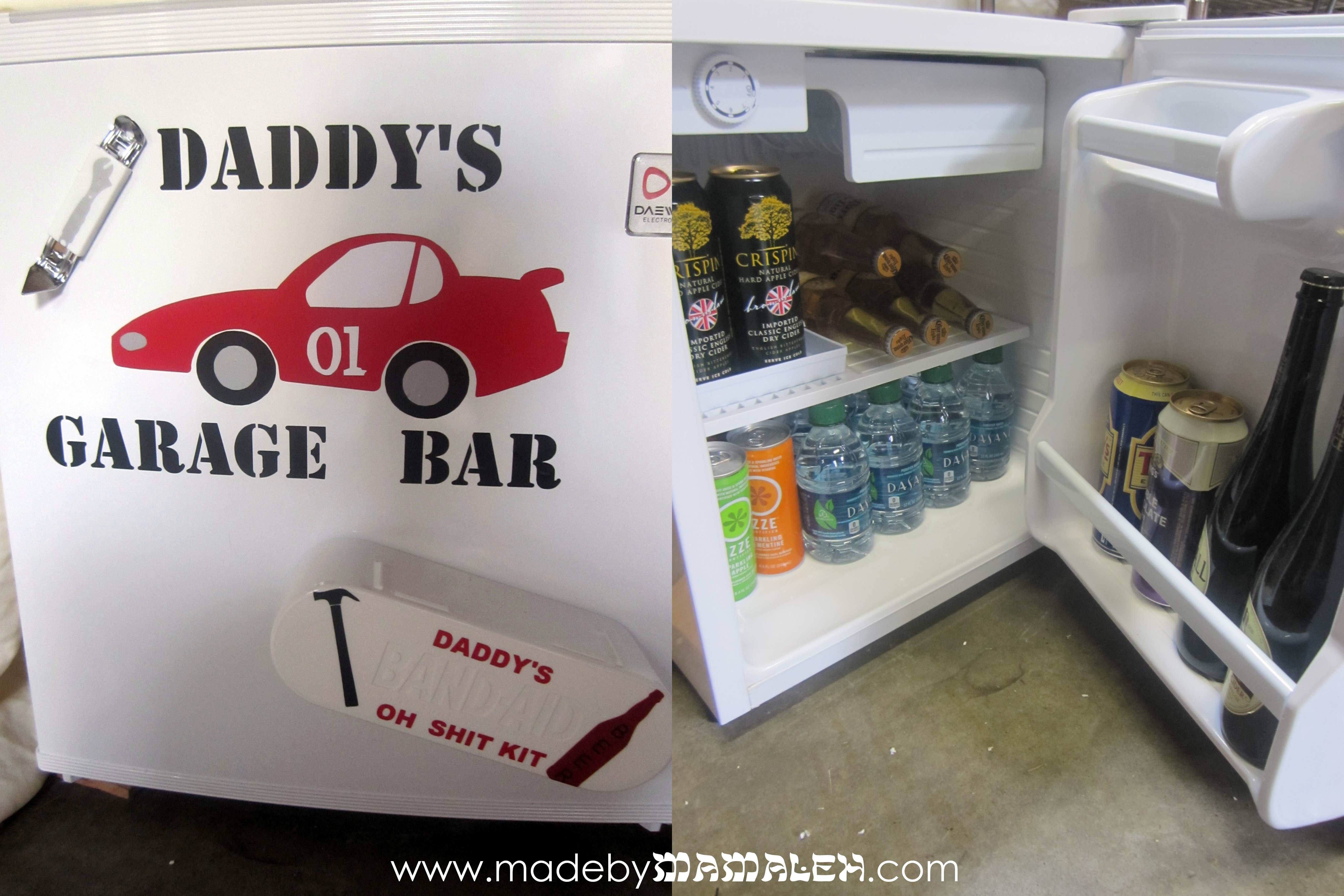
Happy Father’s Day!  I am really excited to share the Father’s Day project I did for my husband.  It isn’t jew-ish but it is definitely crafty.  I read this Seattle Times article and decided that a fridge for the garage was a simply brilliant idea!  But I couldn’t just get a fridge and be done with it.  It needed some serious personalization.  I knew that I wanted to created a cool sign for the fridge out of vinyl so I did that using my Silhouette Cameo.


This looks like it is relatively simple but looks can be deceiving!  Each color (there are actually 4 here – red, white, silver and black) is a different die cut that had to be layered on top of the other.  I had originally planned a 5th color – a dark grey background piece – but had some difficulties getting it smoothly onto the fridge so scrapped that.

I couldn’t stop there though.  I decided that this was the perfect opportunity to create some handy first aid for the garage.  So, I got the pre-packaged band-aid kits at Costco and then added some magnet strips to the back using glue and then embellished the front with some more fun vinyl cut-outs.

Daddy's Oh Shit Kit

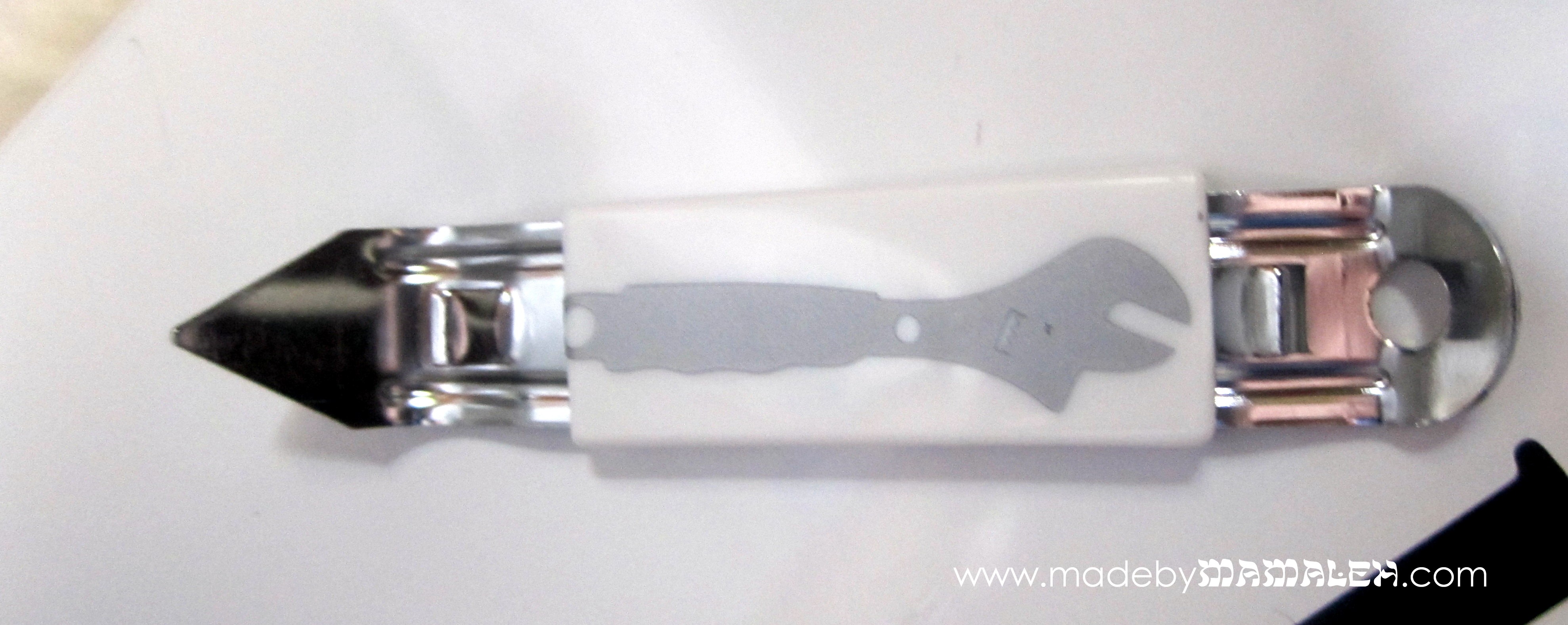
I even decided to embellish the little bottle opener I got for the fridge with a little wrench cut of silver vinyl.

Bottle Opener with Vinyl design

Here is the final result with all of the little details.  And of course, it wouldn’t be complete without making sure it was fully stocked with my hubby’s (and son’s) favorite drinks!  (Oh and a little ice pack in the freezer compartment for emergencies 🙂 He LOVES it!  What did you give/get for father’s day?

Daddy's Garage Bar Fridge 

Father’s Day Mamaleh-style

Ack!  It’s June 2nd! And, in case you haven’t looked at your calendar yet, Father’s Day is Sunday, June 17th. If you’re like me and haven’t yet decided what you’re going to give your dad or husband this year, and want a little something with some jew-ish flair, I thought I’d offer a few suggestions for the hip MOT pop:

  • A fun kippah for those casual Shabbat dinners at home.  I found some fun sports ones at maybesew, SewingCircleBoutique and RachelTreasures.  I am not into sports at all, sorry, but this one’s for the Packers fans out there, you know who you are:
  • Or how about a “mensch” money clip from one of my favorite Judaica sites, Modern Tribe
  • Does your dad exist on drink coffee (or tea)?  How about a nice handmade “Aba”(“dad” in Hebrew) or “Saba” (“grandfather”) mug for him from AgruArtsCeramics.

Father mug in Hebrew 


Hopefully you now have a few unique MOT Father’s Day ideas for your dad or your husband. Happy Father’s Day!

Note: I was not compensated for this post in any way.  I don’t think any of these companies even know I exist. This is all just stuff I like and hope you do too 🙂

Happy Mother’s Day to my mamaleh!

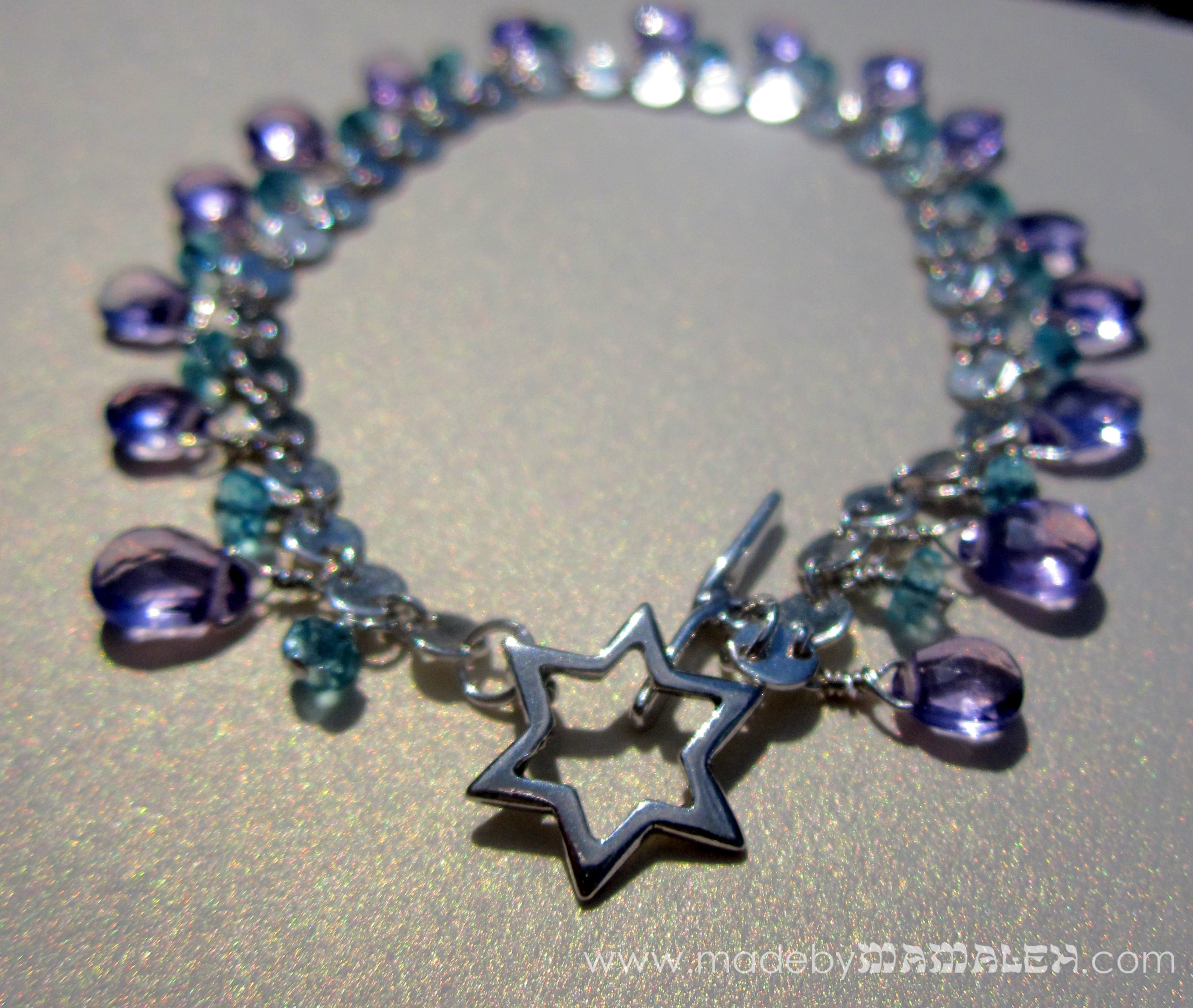
Happy Mother’s Day to all the mamalehs and bubbes and tantes out there!  Today I wanted to share with you the gift I made for my mom.  Before I had my son Avi (almost 3 years ago), I was an avid jewelry-maker and even sold my jewelry but sadly it’s something I’ve done very little of in the last few years, in part because tools and small pieces do not mix well with babies/toddlers.  My mom has been wanting a new gabrielle renee bracelet for a while now and I’ve also been saving this beautiful star toggle for just the right occasion so I figured it was time to get creative.  So, using amethyst briolettes, mini apatite rondelles and sterling silver chain and wire, I created this: 

A simple, chic piece with a very subtle Jewish touch.  I love how it turned out and hope my mom likes it!  I may have to find some more of those star toggles… What did you get for Mother’s day, mamalehs?

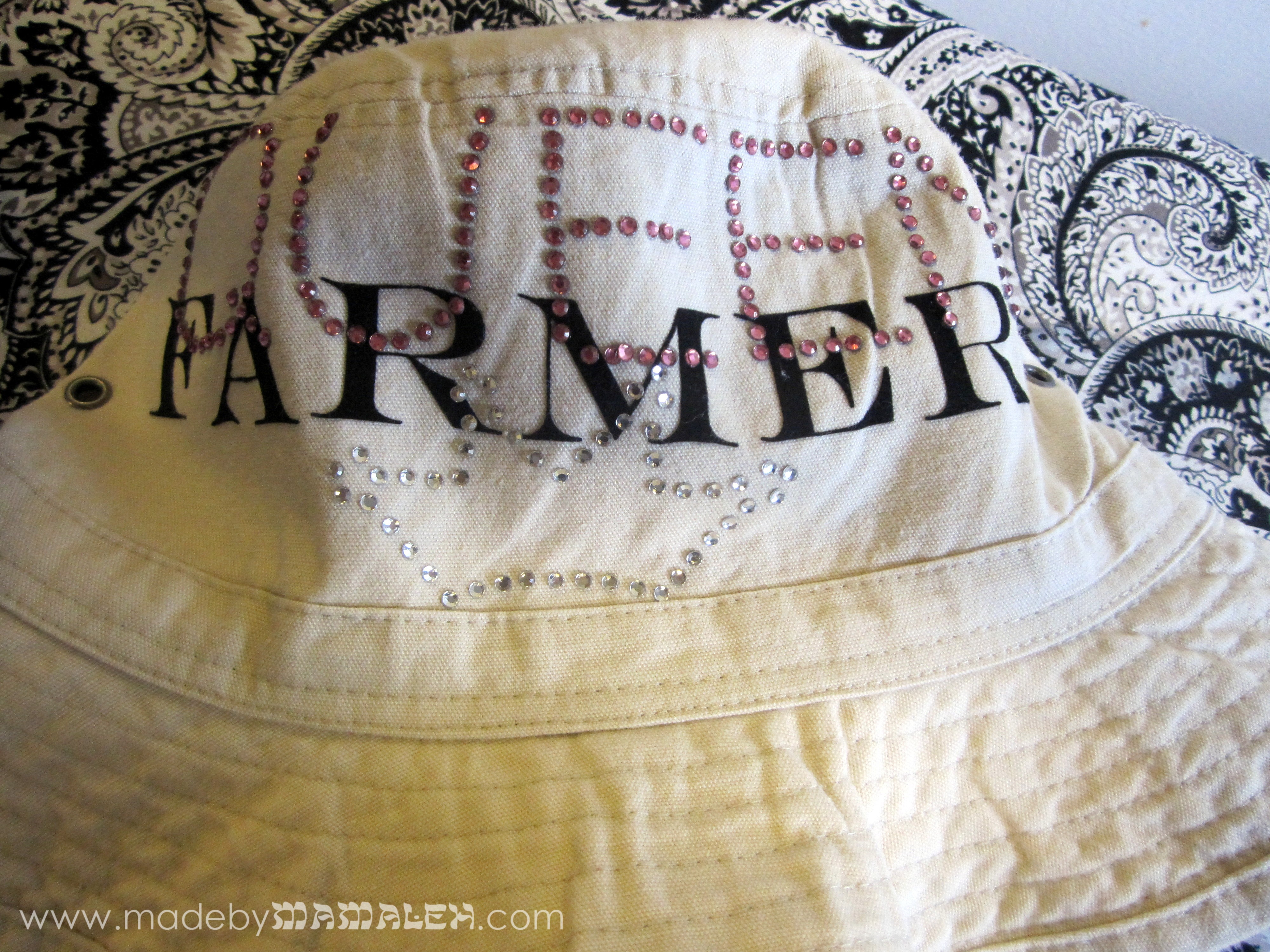
Farmer Queen

Today is the beginning of a new chapter for my friend Andie  To celebrate her transition to full time farmerhood, I decided to make something befitting of her status as Queen Farmer; a woman who not only likes to dig in the dirt and hang with the animals, but do it with a little bling. You can read all about her adventures on Andie’s Farm.

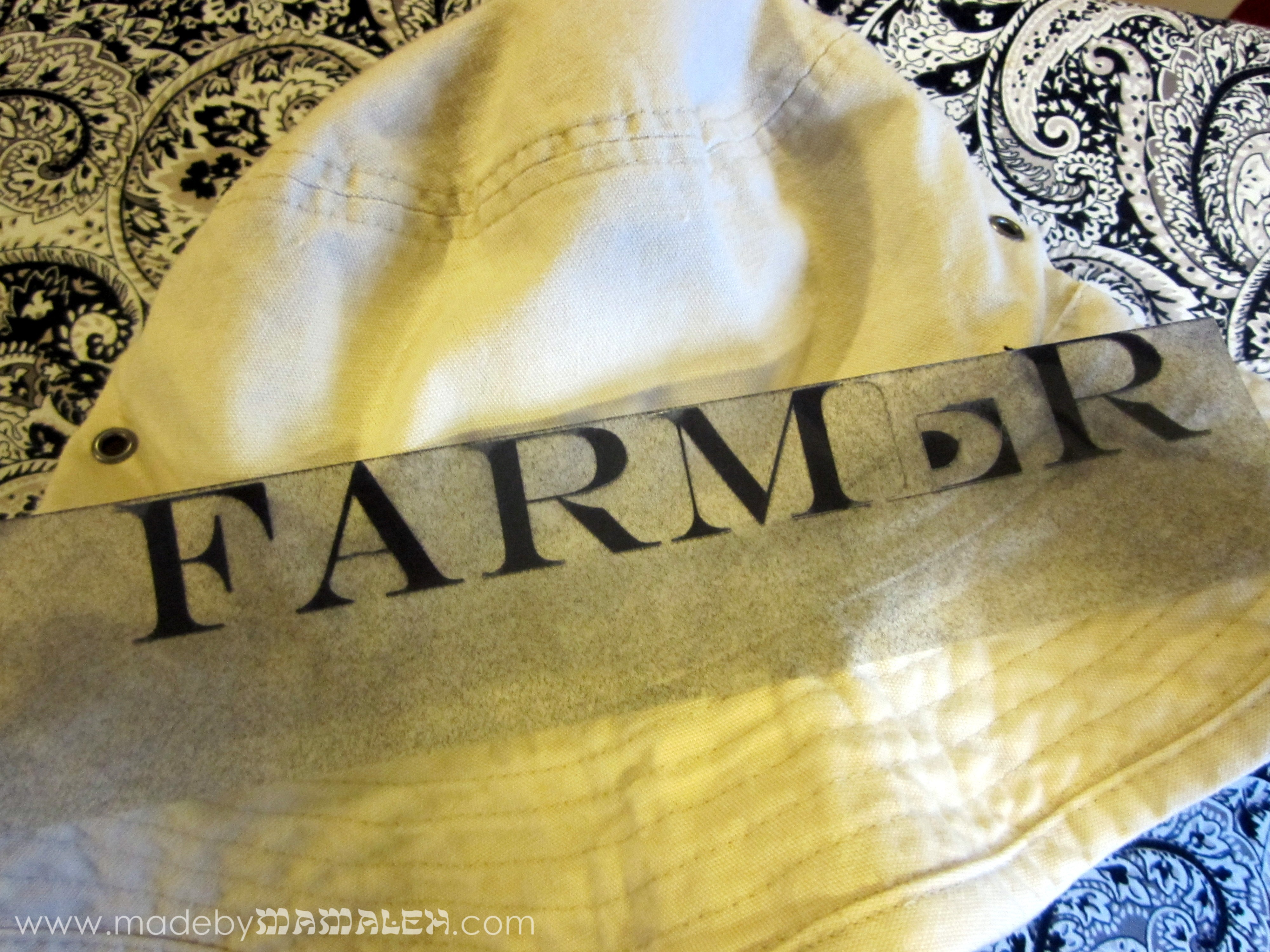
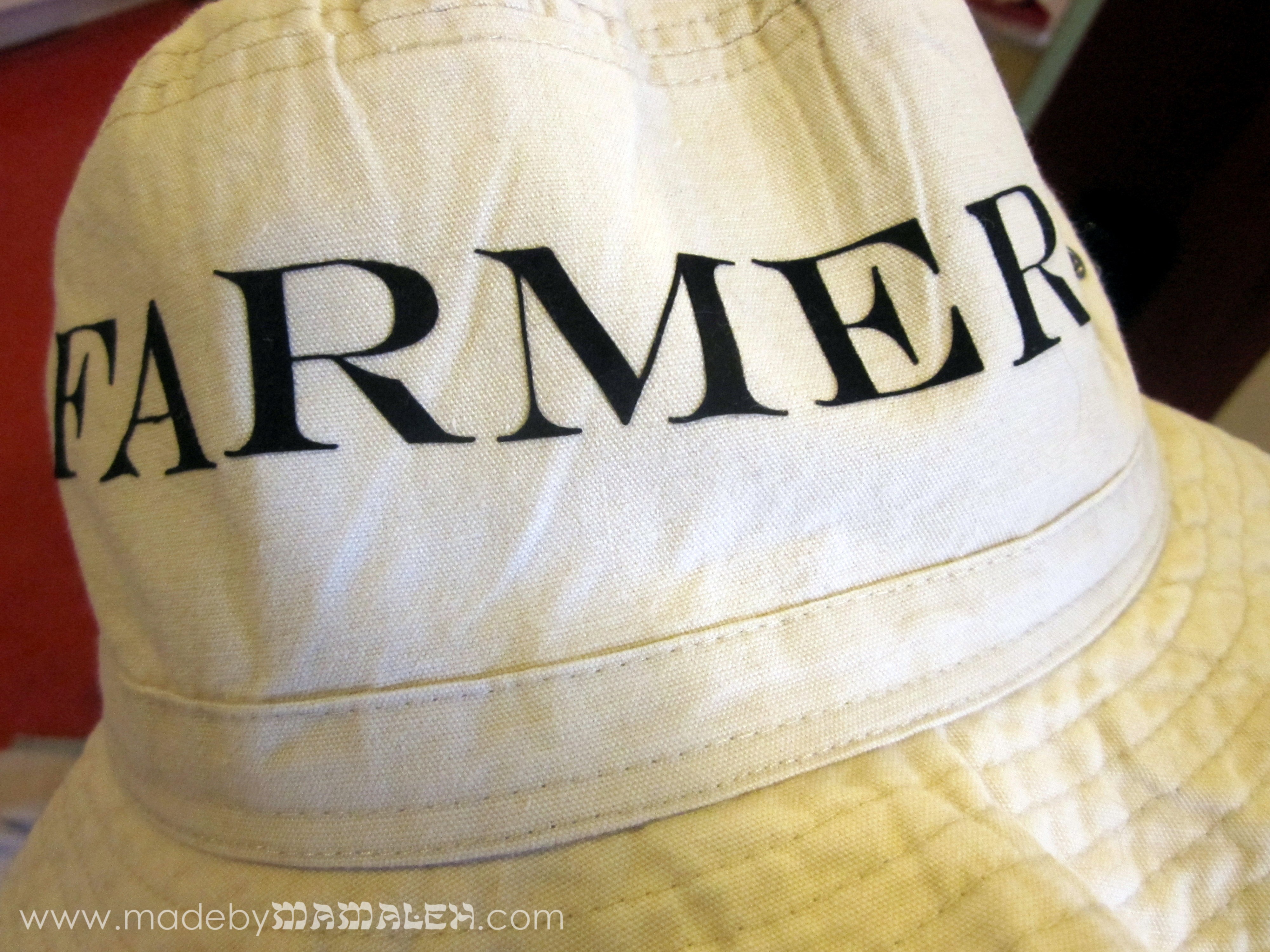
Every good farmer needs to wear sun protection. So, I started with a nice simple cotton hat from Target. Then, I played with the layout I wanted in Silhouette Studio, keeping in mind the dimensions of the hat. I knew I wanted to overlay rhinestones over the word “farmer” so it took some fiddling around to get things laid out just right. Using flocked heat transfer, my first attempt with a different font choice (a version of Chevalier) was totally unsuccessful as the little stripes just came apart after I cut them with my Cameo. I ended up using a different font, the name of which is now totally escaping me. But remember when using heat transfer that you have to cut to the image in mirror so that when you iron it, it will read correctly.

As you can see, even this one proved a bit difficult with its delicate features but it ended up being easy to fix because the other thing I realized during this process is that laying a longer word across a curved hat is REALLY tricky. I ended up going with plan B and ironing it on one letter at a time (this also solved the problem of the “E” as all I had to do was re-cut a single “E”).

That worked much better!

Then it was time to figure out the rhinestones. I didn’t manage to photograph this process (probably because it was done in the midst of sick-toddler wrangling) but I used two different methods for the rhinestone designs. For the word “queen”, I used a rhinestone-specific font that came with the Rhinestone Starter Kit. For the tiara, I converted a standard graphic to a rhinestone design using the rhinestone tools feature (from the Silhouette Studio designer edition). A couple of the crown points were one stone off to me so I ended up adding a couple stones as I lay out all the rhinestones (pink ones for “queen” and clear for the tiara) onto the templates following the easy instructions in the starter kit. The final step was ironing them on the hat and ta-da: my one-of-a-kind “Queen Farmer” hat:

Happy farming Andie!