Hanukkah crafting from Kiwi Crate! Ima Design winner!

I have to admit – I’m generally not one to purchase pre-fab crafting kits; I have hoards of craft supplies so if I want to make something, I generally only need to get a couple items.  But when Kiwi Crate contacted me and asked if I’d like to try out their Handmade Hanukkah kit, I figured why not.  I’m always open to try something new.

Kiwi Crate is a children’s creativity company, targeted for kids ages 3-7.  They offer monthly subscription activity boxes as well as special projects like the Hanukkah box.  Each crate is filled with enriching & engaging kid-tested projects which cover a range of developmental areas and subjects, including art, science, and imaginative play.

The box arrived nicely wrapped in brown packing paper with a big Kiwi Crate logo and addressed directly to my son (which was a big hit of course).  This was a nice touch in the age of elaborate, difficult to open packaging; no box cutters were needed, so my son could open it himself.
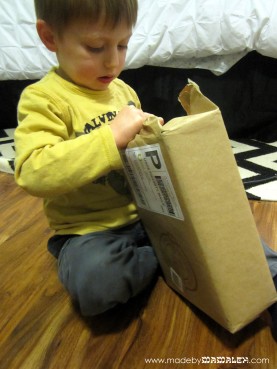
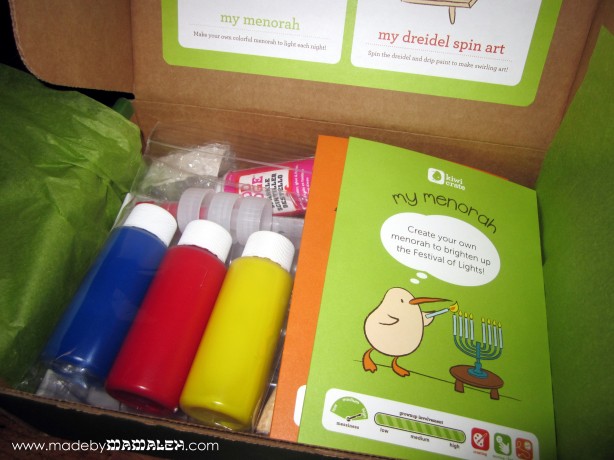
When my son managed to rip the paper off, we found the darling little Kiwi Crate Box filled directions and the makings for two Hanukkah projects: a tissue paper covered menorah (battery operated) and dreidel spin art.
Speaking of the directions, they are fantastic!  Being a crafty mamaleh, I probably could have gotten by without them. But for those less craftily inclined, the details and pictures make the projects easy.  I imagine that they’d be great for kids of reading-age too.
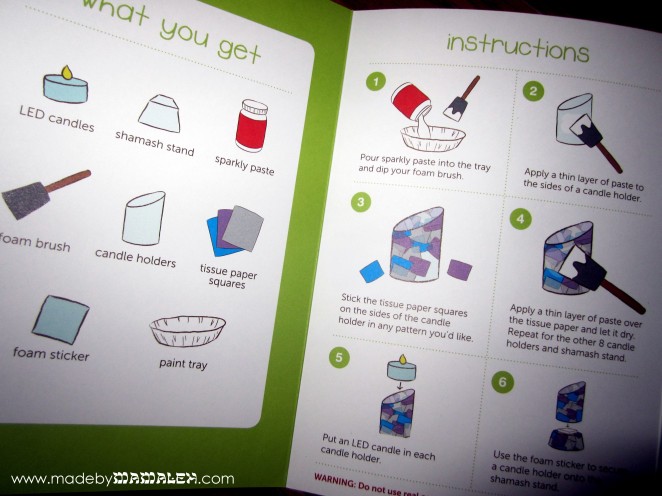
We decided to start with the menorah.  The materials included candle holder, tissue paper, glittery Mod Podge with tray, foam brush, shamash holder,  foam for the shamash, and LED flicker candles.  The process itself was simple albeit a little messy.  It was my first time using glitter Mod Podge and I found myself daydreaming about what grown-up projects I might be able to use it for as it was just pure sparkly goodness.  I will say though that my three-year old’s attention span waned after about 2 candle holders so I was left to finish the rest on my own.  I do think that makes for a project which could easily be shared by multiple kids – I sort of wished we’d invited friends to do it with us.  It wasn’t until the menorah was all dry, that my son regained interest when it came time to “light” the “candles.” I must say, it’s pretty cute and fun and will be a nice, non-fire hazard menorah to use for the holiday.
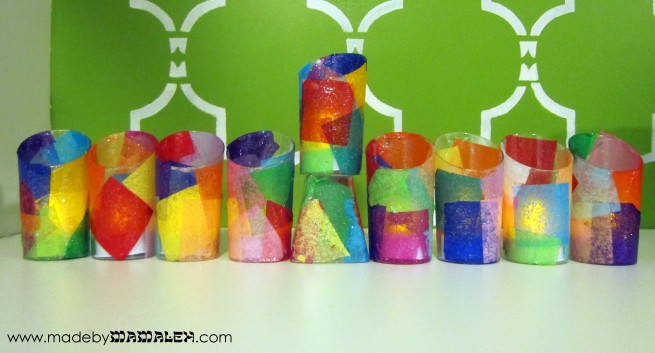
Tissue Paper Battery Menorah from Kiwi Crate

Next up was the dreidel spin art and I gotta say this was super fun for both of us! But oy, was it messy!  Be sure to put on smocks and do it on a drop cloth of some sort (we used a coated tablecloth on the floor).  You use the included plain wood dreidel and pre-cut pieces of paper to do spin art in the Kiwi Crate box.  I loved how many pieces of paper were included – ample enough for 2 or 3 kids to do a bunch.  And when you’re done, there are Hebrew letter stickers included for the dreidel to restore its traditional Hanukkah role. My only wish was that the box had been a bit taller since the paint splatter definitely went over the sides (to its credit, it did wash off pretty easily).
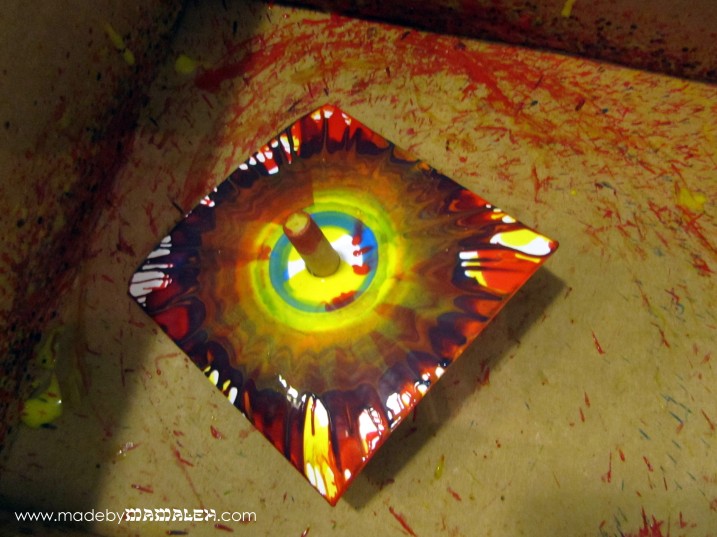
The resulting art is really fun and unique.  Perhaps we’ll use them to create Hanukkah gift thank you notes by putting them on a notecard and adding some stamped cardstock on top to cover the hole.
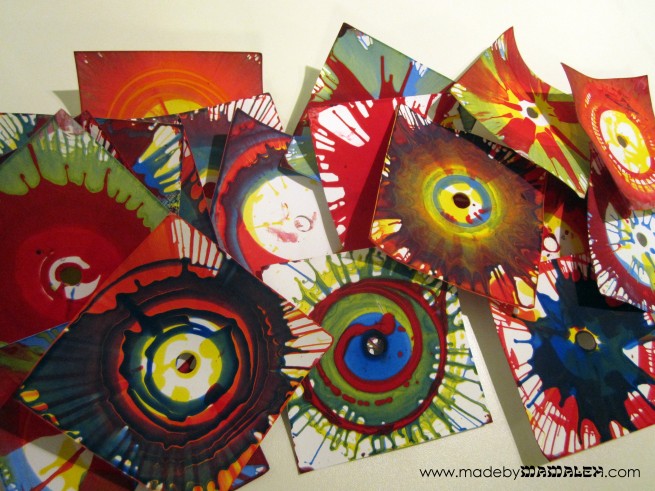
Overall, I was pleasantly surprised with the Kiwi Crate.  As an avid crafter who generally likes to do my own thing, it was sort of nice to be given direction.  Along those same lines, it was nice to not have to worry about my son destroying my own supplies to do his project. Everything we needed was included in the box which I think is excellent way to help people who feel intimidated when they go to a store like Michael’s or Joann. Even I get overwhelmed at those stores with the variety of supplies and tools available. I think Kiwi Crates are creative and fun gift ideas; I may have to order a few for friends.

Oh and I almost forgot, the winner of the Ima Design contest is #1, Jamie.  Look for an email with details!

Note: I was not financially compensated for this post. I received a Hanukkah Kiwi Crate free for review purposes. The opinions are completely my own based on my and my son’s experience.

Chai to Hanukkah {Free Printable}

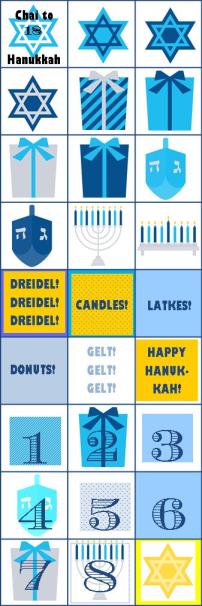
Printable Hanukkah Countdown Calendar

Part of the fun of any holiday or special event is the anticipation of it.  This was abundantly clear to me in October as my 3-year old son came home each and every day ready to check his Halloween countdown calendar for a treat.  He was so sad when it was over and the calendar was all done.  Luckily as we head into the winter holidays, there are some great Hanukkah calendars out there; we have two, one from Pottery Barn Kids and one from Land of Nod:

They are both adorable calendars and my son loves them. BUT they only count the actual days of Hanukkah, not the excitement and anticipation of the days leading up to it.  So I decided it was time to make my own calendar and to give it a true Jewish slant.  I thought we’d count down the 18 (chai) days before Hanukkah as well as the days of Hanukkah themselves.  Using Microsoft Publisher and some great graphics I purchased from Maree Truelove on etsy, I created a printable Chai to Hanukkah Countdown Calendar for 2012 to share with all of you!  Speaking of the graphics, Maree Truelove has some really cute Hanukkah graphics if you need some for a project – it’s so hard to find non-cheesy Hanukkah graphics and hers fit the bill.

Printable Chai to Hanukkah Calendar 2012

Click on the image above to download your own printable PDF Chai to Hanukkah Countdown Calendar. For personal use only. © Made by Mamaleh 2012

I printed mine on good quality white cardstock and then printed the stickers, below, on a sheet of sticker paper and cut them out using the paper cutter (scissors would work fine too – I gave you gridlines to make it easy!).  But you could also print on paper and use tape, a glue stick or even print on magnet paper.  My intention was that you start with the “Chai to Hanukkah” sticker and then use the numbered stickers for each of the 8 nights, but really you can do whatever you (or your kids) feel like.

Printable Chai to Hanukkah Countdown Stickers

Click on the image above to download your own printable PDF of the Chai to Hanukkah Countdown Calendar stickers. For personal use only. © Made by Mamaleh 2012

Hope you are as excited to countdown to Hanukkah as we are in my house!

Fit for a Princess!

And the Wine Charm Giveaway Winner!

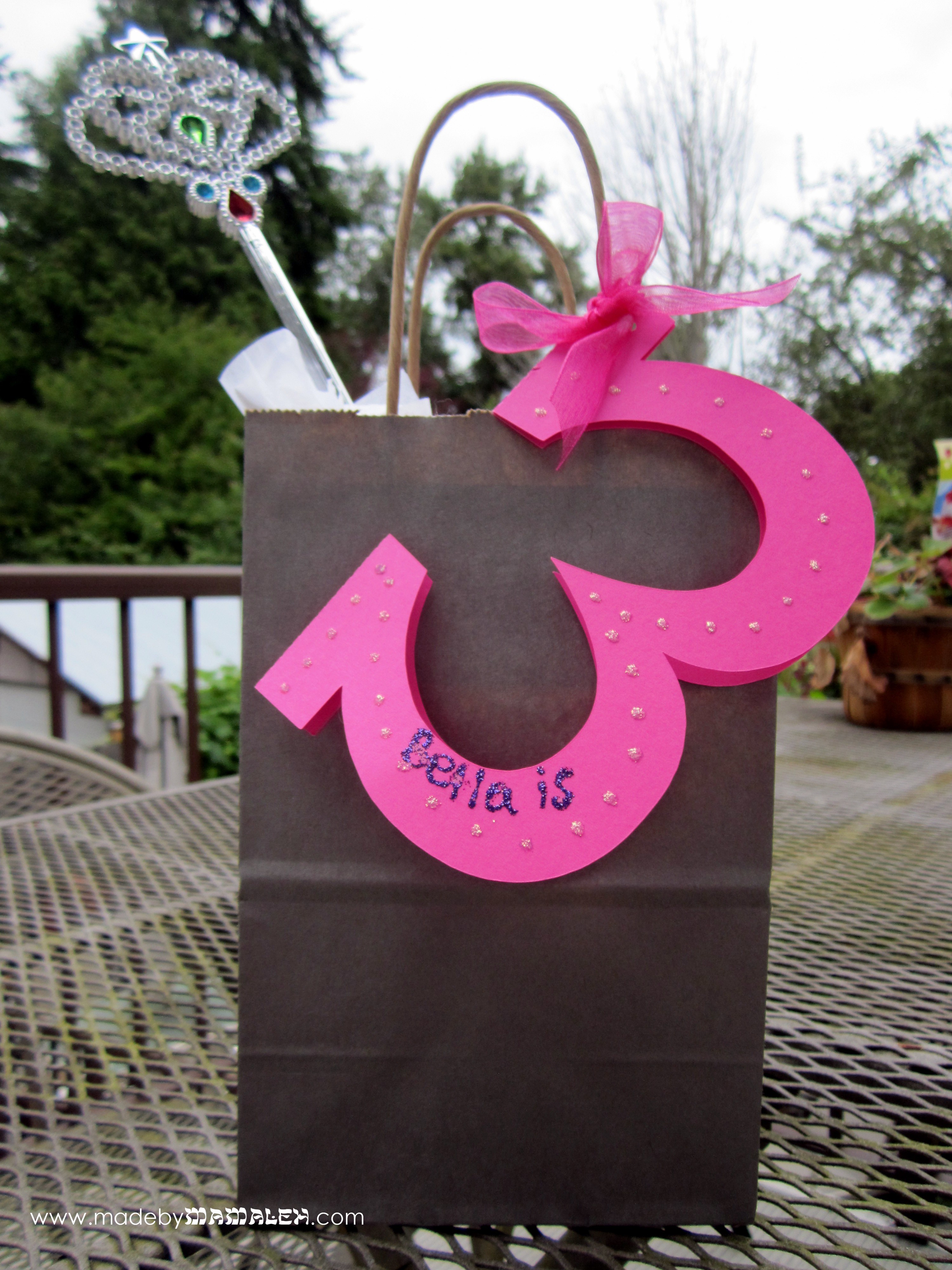
We had another 3rd birthday party to go to this past weekend, a princess themed one to be exact.  So, I thought I’d use it as a chance to have a little more fun with T-shirt vinyl and rhinestones and make the birthday girl her own, very personalized tee.

I started with a cute girls’ tee from Old Navy – I’d show it to you but it’s not on their website anymore – why are plain kids’ tees so hard to find?!  Then, I used the rhinestone template I created when working on my Queen Farmer Hat.  Well, to be precise, I used the first template I created that was too big for the hat 🙂

Silhouette rhinestone remplate

I wanted to jazz it up a bit more so I free-handed a heart in the center and later aded pink jewels to the points.

Princess crown iron on

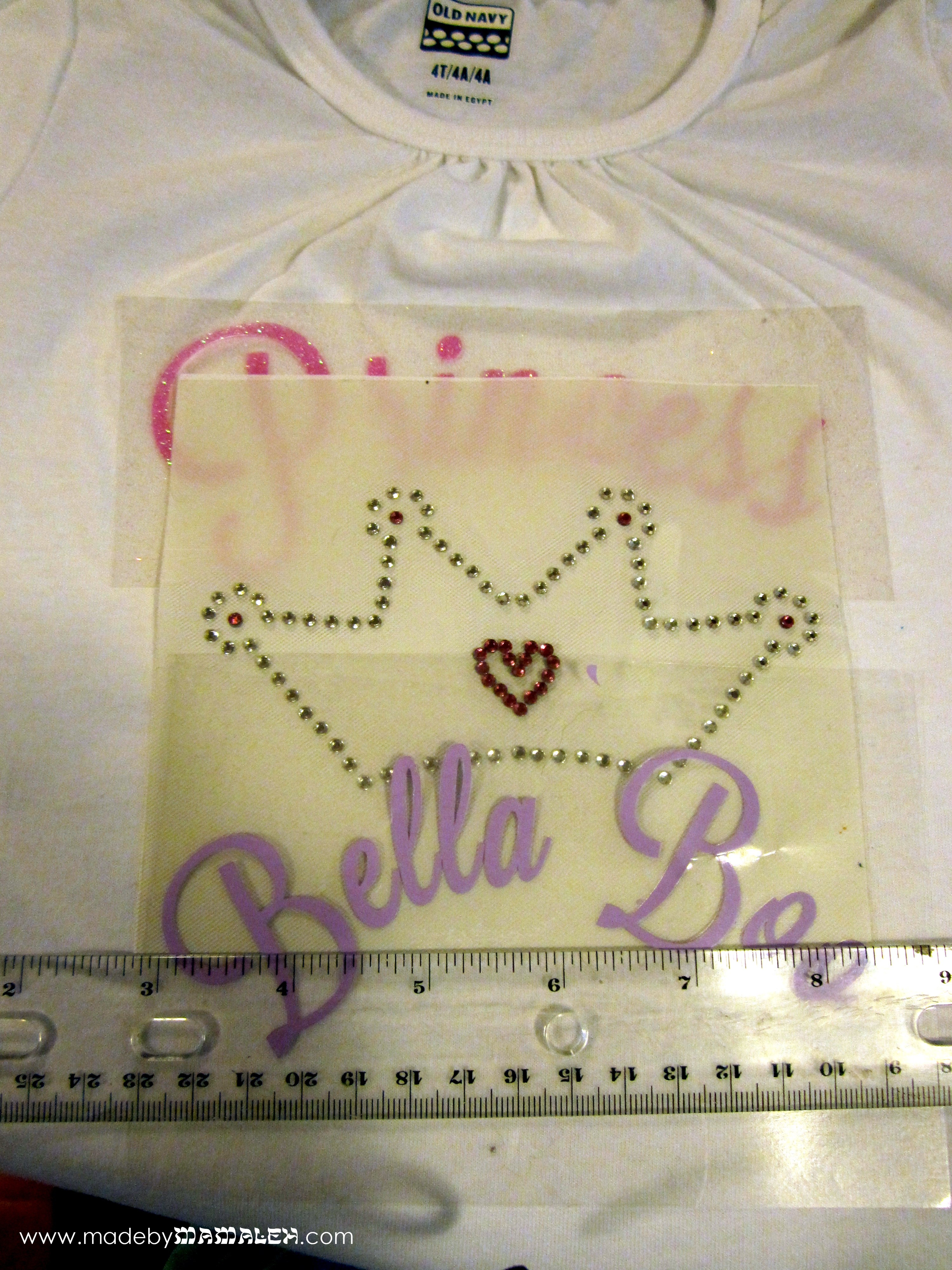
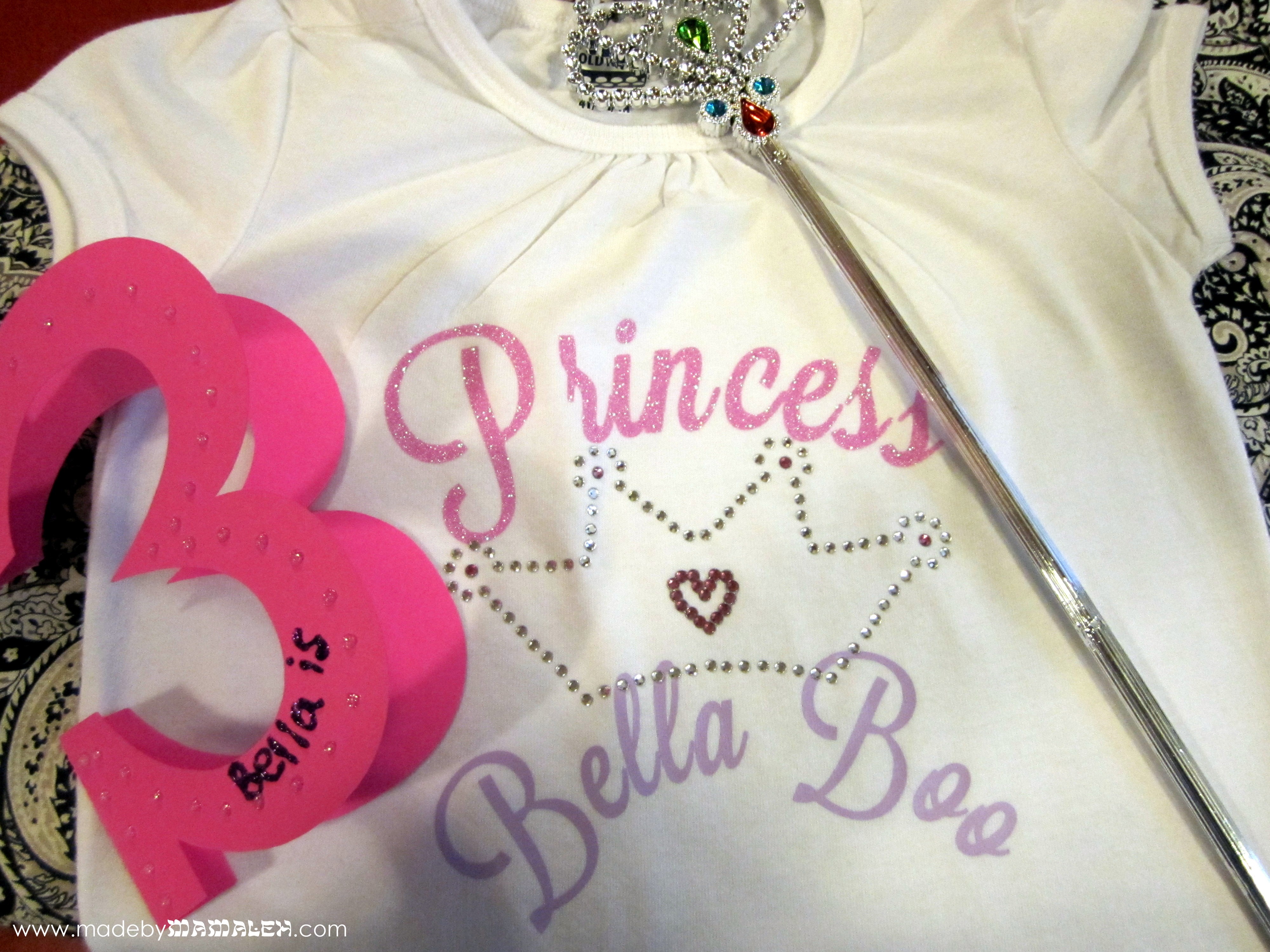
Next I cut the word “Princess” out of pink glitter heat transfer using Silhouette Studio and the font Lavanderia Sturdy.  I went with the lighter Lavanderia Regular and Lilac vinyl for the princess’ name.  Then, I laid everything out on the shirt using a clear ruler to get things just so.

Then I carefully ironed each piece on one at a time, finishing with the crown so it would sit on top of the words in a few spots.  The final result was just as I’d hoped it would be – fit for a princess!

And finally, the winner of the Shabbat Wine Charm giveaway is…Tina David Konegan!  Mazel tov Tina!  Email me your address so I can get your prize in the mail!

Not Your Bubbe’s Hebrew {Font}!

Oh, I am so excited about this project I can hardly type!  So, as you may have all figured out by now, I am totally in love with my Silhouette Cameo.  It cuts paper and vinyl and fabric (though I haven’t tried that one yet) and best of all, it cuts any font!  I knew even before I ordered it that I one of the things I wanted to be able to do try with it was cut Hebrew letters.  Just think, the possibilities for Judaica projects or even every day projects with a jew-ish flare are endless!  Here’s a little preview:

Hebrew name on t shirt

Silhouette Studio is the software that comes with the Silhouette that you can use to create whatever you are cutting.  The tricky part is that it only supports English.  So, here’s how to get cool Hebrew letters into Silhouette Studio (using Windows, sorry Mac folks) and cut out:

First of all, you may not know it, but many fonts you already own often contain Hebrew letters but using them can be a bit tricky since you aren’t sure where to find them, etc.  So, my first recommendation is that you install the Hebrew keyboard in windows so that you can easily access the letters.  This is really easy – here is a guide to adding input languages.  I also recommend selecting that the language bar be docked in the taskbar so you can easily switch between languages when you are working.  If you really want to make things easier on yourself, you can order some of these hebrew keyboard labels to doctor up your keyboard.

Then, open up a document in Microsoft Word, switch to Hebrew on your language bar and start typing.  I am working on a gift for a friend who’s daughter’s Hebrew name is Morasha.  Here you can see how it looks in several different fonts in Word.  Remember, just like English, Hebrew comes in both block and script fonts.  The standard ones that you probably have already, like Times, are pretty traditional (think prayerbook) Hebrew letters but there are some beautiful scripts out there that are really modern and chic.  Here’s a good list.  Of course, with these you can do all sorts of fun stuff using Word or whatever program you like!

Once you have your word or sentiment typed in Word, you’ll want to copy the word and then paste it into a blank Silhouette Studio document.  When you first paste it, it will appear backwards like it is in this picture.

Pasting Hebrew Letters into Silhouette Studio

So, you’ll want to right-click and then select “Flip Horizontally” so that you can see what it looks like and play around with the fonts.  The Hebrew fonts will show up on your font list in  Silhouette Studio even though you can’t type in Hebrew in the program.  I just love this “Dybbuk” font so after the flipping my word, I then selected a different font, sized it a bit and viola!

Hebrew Font in Silhouette Studio

Now, since I am going to put this on a T-shirt, I will need to flip this again horizontally for cutting out of heat transfer so that it will be in the right direction when I iron it on.  Don’t forget this step – I did the first time and cut it out in the wrong direction for ironing so sadly wasted some heat transfer material.  For this project, I used the Silhouette grey flocked heat transfer.  It looked great on the pink T!

But it would have been too plain to just have her Hebrew name all by itself, I needed to add some bling.  So, using a combo of rhinestones from my Silhouette kit, I created a lovely rhinestone butterfly for Miss M!

Iron-on Rhinestone Butterfly

The final product – a totally personalized Hebrew name T!  Perhaps we’ll be lucky and Miss M will even model it for us!

Hebrew name tee with rhinestone butterfly

Now that I know I can cut out Hebrew letters, what else should I make??  Any ideas?  Ooh, so many possibilities…

A Very Toddler Passover!


Since I am home with a sick boy, I thought I’d take the opportunity for a little Passover follow-up. The Passover story we tell every year is such a rich one but it often gets lost amidst hunger and outdated haggadot. This year our 2nd night seder was tailored specifically to our youngest guests – a group of toddlers from our PEPS group (if you aren’t in Seattle, PEPS stands for Program for Early Parent Support).

Using the URJ’s seder for toddlers age 2-3 as a template, I copied the content and added my own into an easy to hold program just for the adults using MS Publisher.  I even pre-assigned the sections to help expedite things! The content was written for kids and they really did a good job of following along and paying attention.

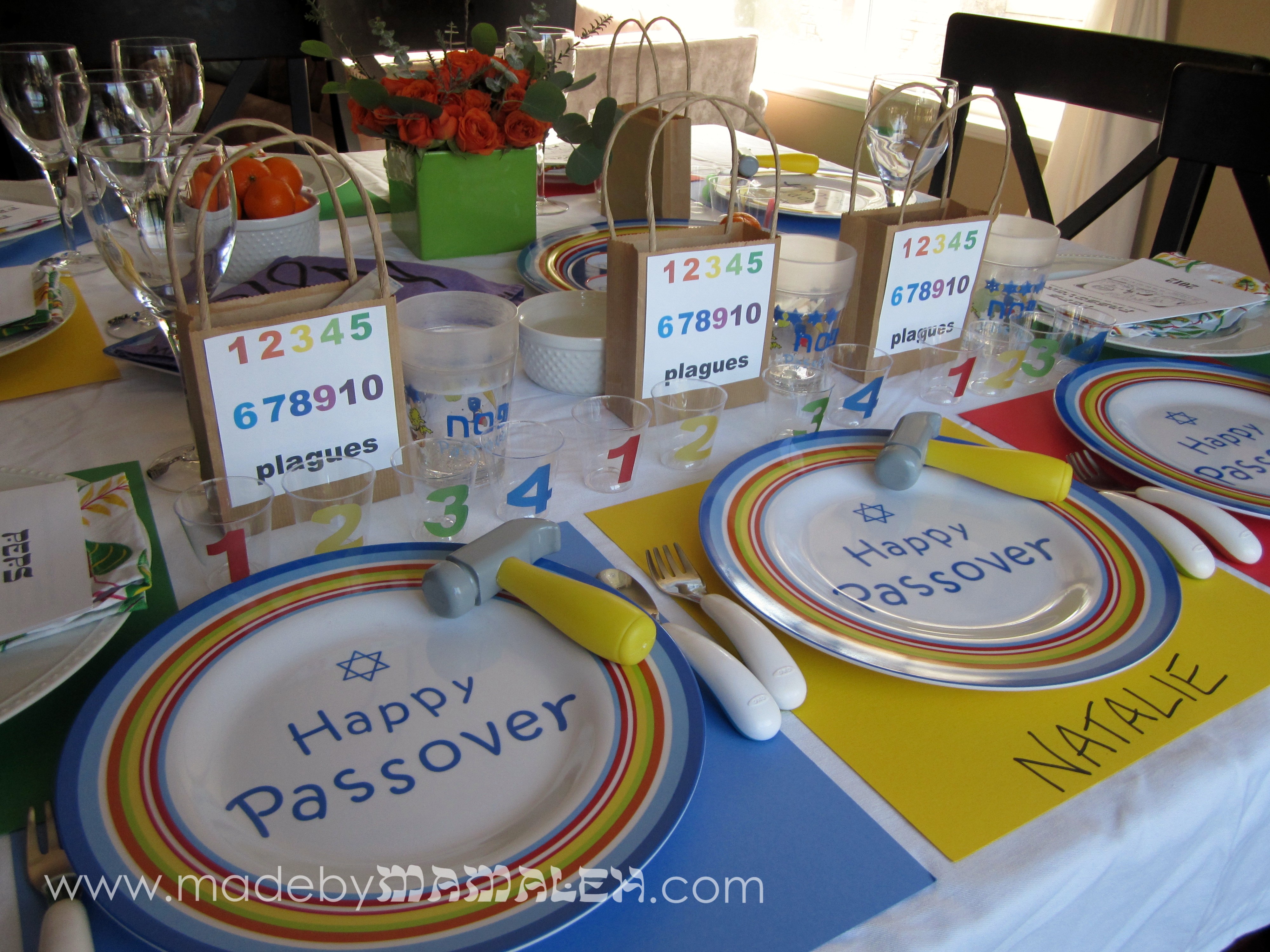
In addition to this, I pre-downloaded this song about the 10 plagues which we played at the appropriate part of the seder and which was a big hit with the kids.  Since a group of toddlers is very into numbers and colors, this was the focus for our seder table.  For the 4 cups of wine, I used clear plastic shot glasses (a novel use for these I am sure) and used the print and cut feature on my die-cut machine and clear label paper to create numbered toddler-size cups for each of the four glasses.  I also created plague bags with a  label with the numbers 1-10.

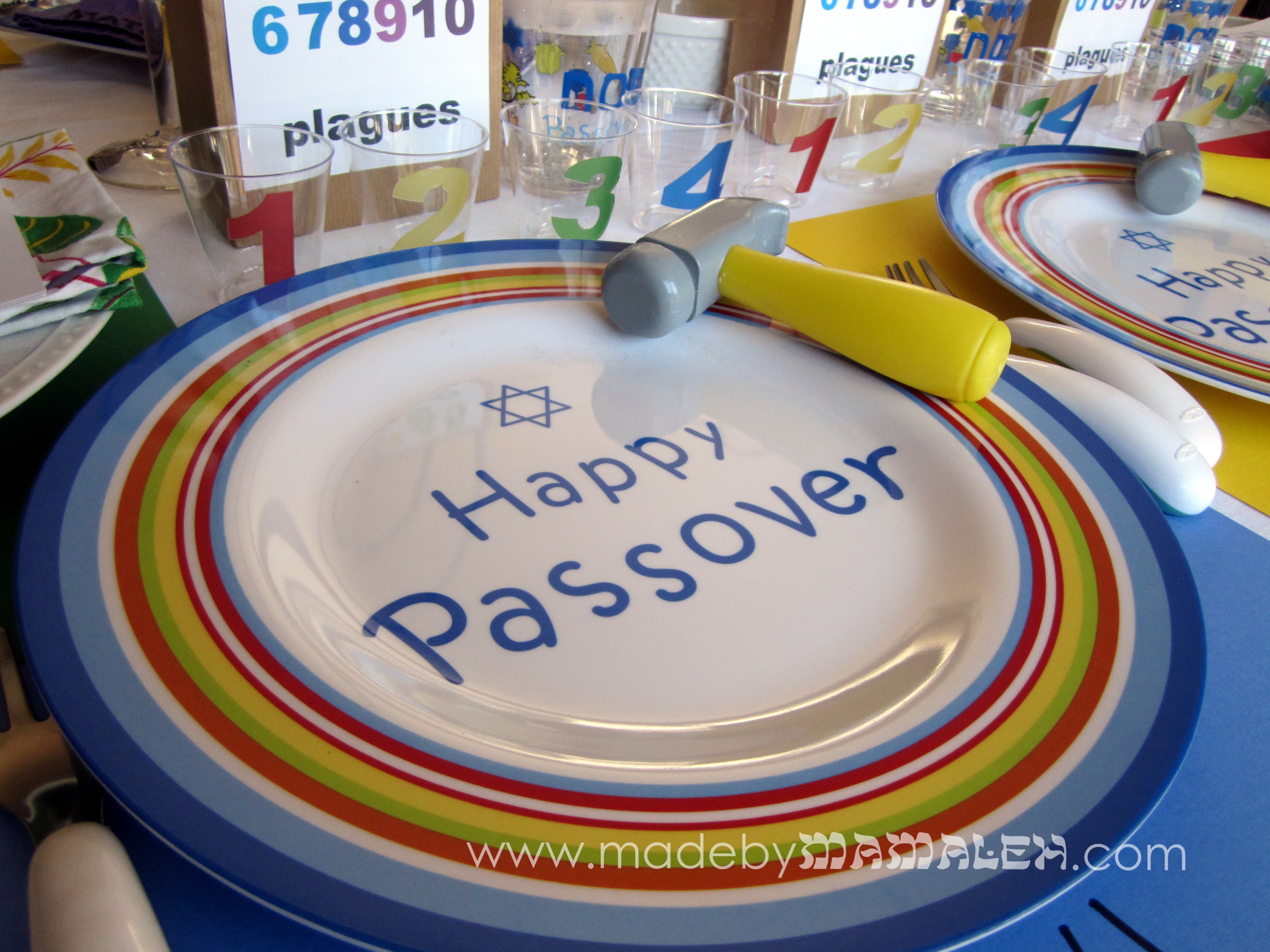
Placemats were made using primary colors of scrapbook paper which made for not only easy cleanup but easy personalization, with each child’s name written across the bottom.  The dishes were ones I had picked up at Target a couple years ago on sale – I love them!  Each kid got a toy hammer for pretending to hammer along with one of the songs.  Such fun!

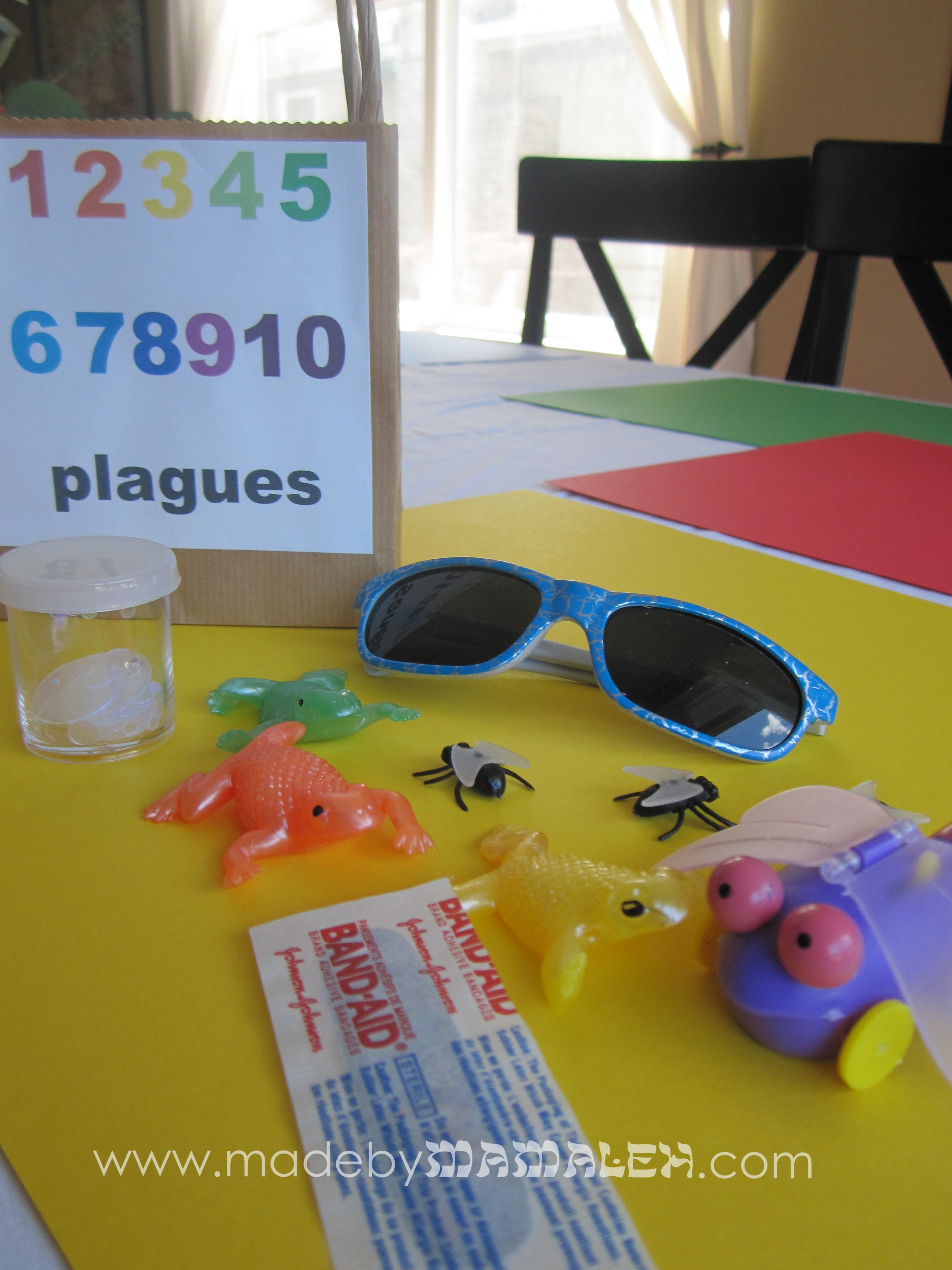
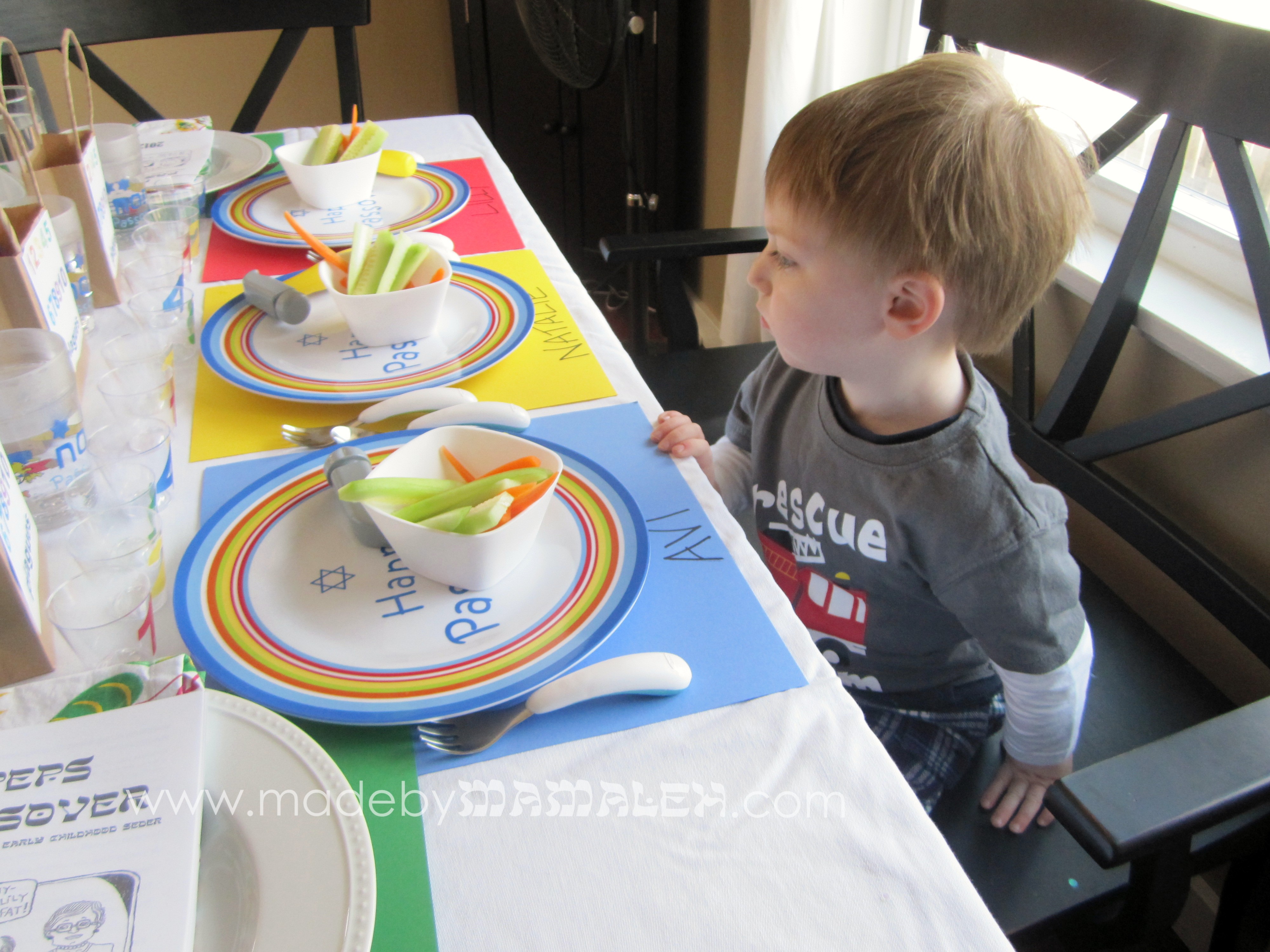
The plague bags themselves were filled with stuff to go along with the song.  You’ll note the “blood” confetti above that I made using red cardstock and my die-cut machine and a raindrop image.  Even my husband was surprised when we sang about the blood and I suddenly tossed a handful of confetti at the kids.  The bags themselves contained a little shaker of confetti (hail), sunglasses (darkness), wind-up flying bug (lice), flies (flies)sticky frogs (frogs) and a band-aid (boils).  We didn’t have something for every plague but that was just fine, there was plenty to keep the kids engaged and involved in the seder.  Oh and one other tip, little bowls of cucumbers and carrots (karpas) for the kids to dip as necessary before it’s time for the actual meal.

Overall, it all turned out really well.  My husband said it was the best seder he’s ever been to!  I can’t wait to do a new variation next year!  Hope you all had a lovely Pesach!